Intel & Insights
How to read the Reviews tab
A competitor's Trustpilot rating, what their customers praise and complain about, and the openings that leaves for you.
Every competitor has a Reviews tab: their public reviews, a summary of what customers keep saying, and — because Outmano knows your own product too — where their complaints are your opportunity. Reviews is a ranked angle, scored on average rating; see Understanding the angles.
Where the reviews come from
Outmano collects reviews from Trustpilot. The competitor’s Trustpilot page is discovered automatically when you add them; if it wasn’t found, the Reviews row on their Setup tab asks for it. A competitor with no Trustpilot presence keeps an empty tab rather than borrowing data from somewhere else.
Reviews are checked weekly, in the small hours of Monday UTC, and there’s no manual refresh on this tab. Until the first collection lands the tab reads No reviews yet; once Outmano has checked and found the page empty, it says so and keeps checking weekly.
The headline
The top-right of the tab shows their current average rating and how many reviews it’s based on, from the latest reading.
What customers say
Once a competitor has at least five reviews, Outmano reads them and writes up the pattern:
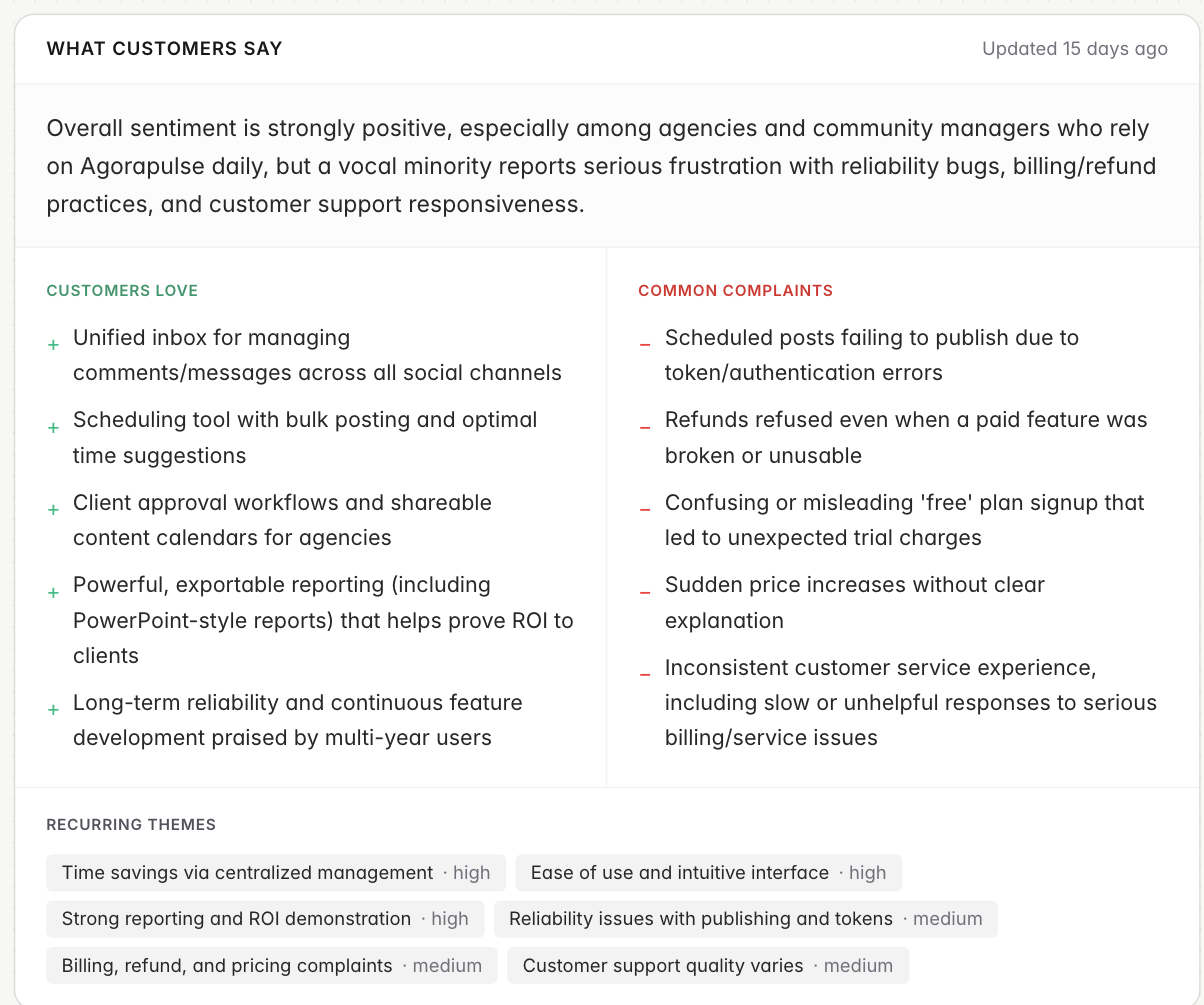
- A one-paragraph sentiment summary.
- Customers love — what gets praised, repeatedly.
- Common complaints — what gets them one-star reviews.
- Recurring themes — chips for the subjects that come up most, with a weight where one clearly dominates. Hover a chip for the detail.
This card describes the competitor, so it’s the same for everyone tracking them. The Updated stamp shows when it was last rewritten.
Your opportunity
The card below is written for you specifically: it sets their complaints against what Outmano knows about your own product and lists the openings — the things they get wrong that you can credibly claim to get right — followed by Messaging you can use, a few quotable lines built on those gaps. Two workspaces tracking the same competitor get different cards here.
This section needs your own product tracked (see Setting up your workspace), and it never appears on your own product’s Reviews tab.
Recent reviews
The most recent reviews collected, up to twenty, each with its rating, title, when it was left, the body, the reviewer’s name where Trustpilot shows one, and a View link to the original.
What raises a change
- New reviews are batched into one change per collection: got 3 new Trustpilot reviews (avg 4.2). A batch containing a review of two stars or fewer is marked important; two or more such reviews make it critical, so a rival’s bad week reaches you without opening the tab.
- A rating change of 0.2 or more between readings is important; 0.5 or more is critical.
Both can be routed to Slack alerts by ticking Reviews on the Integrations → Slack page, and the significant ones make the weekly digest. Review data is also one of the angles a battlecard is built from.